How To Use Two/Dual Whatsapp Account In One Phone

1 comments
HI GUYS..THANK YOU very much for encouraging me..Now Iam again back with my new latest trick that you feel most intresting thing that is How To Use Two/Dual Whatsapp Account In One Phone.Whatsapp Is A One Of The Top And Most Popular Messaging Apps. We Can Chat, Send Images, Videos And Audios With Our Friends And Family. There Are 700 Million Active Users On Whatsapp In 2015. Now A Days Mostly Whatsapp Used By Young Generation Over 90% Of Them Are Addicted By Whatsapp. So It Is The Most Famous Messenger In The World. But There Is One Problem We Cannot Use Dual Whatsapp On One Device. We Can Only Use One Whatsapp Account On Single Device. But Mostly The Persons Have Dual Sim Mobile Phones And They Want To Run Whatsapp On Both Numbers But Actually Then Can’t Do This. So If You Are One Of Them And Want To Know How To Use Dual Whatsapp Account On Single Mobile Phone Then You Are At Right Place. Here We Have Solution And Method To Use Dual Whatsapp On One Device. There Are Some Alternatives & Moded Versions Of Whatsapp. With The Help Of These Alternative Apps You Will Able To Use Dual Whatsapp On Single Mobile Phone.


Methods To Use Dual Whatsapp On Single Device.Alternative Apps To Use Dual Whatsapp On Single Device.

Here I Will Explain You Two Alternative App OGWhatsapp & WhatsMapp Solo App. With The Help Of These Android Apps You Can Use Dual Whatsapp On Single Android Phone. These Apps Are Not Available On Play Store So You Have To Download .Apk Files Of These Apps. Both Are Working Fine And Secure To Use Dual Whatsapp On Single Device. But I Recommend You First Use WhatsMapp Solo Android App If It Will Not Work Then Try OGWhatsapp Android App. So Here I Will Explain You How To Use Dual Whatsapp On One Device.


#1. Method:- Download OGWhatsapp


Features:-
-Dual Whatsapp On One Device
-Fastest Moded Whatsapp
-Custom Icon
-And Many Other Features Are Available
Download OGWhatsapp


 OGWhatsapp


  • First You Have To Backup Your Conversation Then Proceed Further.
  • After That Go To Settings >> Apps >> Find Whatsapp Click On It And Then Click On Clear Data.


Now Go To Sdcard/Whatsapp And Rename The Whatsapp Folder To OGWhatsapp.
Now Uninstall Your Original Whatsapp.

After That Download And Install OGWhatsapp In Your Mobile Phone. Click On Continue Button Fill That Mobile Number Which You Used In Original Whatsapp Account.
Now For Other Number Go To Play Store Download And Install Original Whatsapp And Fill Your Other Mobile Number In It And Enjoy Dual Whatsapp In Your Single Mobile Phone.

Note:- If You Getting An Obsolete Error While Installing OGWhatsapp Then You Can Use The Other Alternative Android App WhatsMapp Solo. I Also Used This App And It Worked Finely In My Mobile Phone So You Should Try This. Just Follow The Given Steps To Install Dual Whatsapp On Single Device.

#2. Method:- Download WhatsMapp Solo

Features:-
-Custom Icon
-ActionBar Color Changing
-Navigationbar Color Changing (Lollipop Only)
-StatusBar Color Changing (Lollipop Only)
-Fastest Moded Whatsapp
-AntiBan
Download WhatsMapp Solo

 WhatsMapp Solo


First Of All Open Original Whatsapp And Backup Your Conversation.
Now Go To Settings >> In Apps Click On Whatsapp And Clear Data.

Now Uninstall Original Whatsapp And Install WhatsMapp Solo In Your Mobile Phone.

Fill Your Mobile Number Which You Used In Original Whatsapp And Proceed Further.

Now For Other Number Download Original Whatsapp From Play Store And Fill Your Second Number And Enjoy Dual Whatsapp On Your Single Device.

ThanQ Visit again...Plz free to Comment below.
Read More..

How to Download and Install Windows 10 Technical Preview

2 comments


Microsoft unveiled the following version of Windows on September 30, choosing to bypass hop and a version number from 8 to 10. While the last version of Windows 10 is anticipated to be published in 2015, the Technical Preview release - targeted at PC specialists who understand the dangers involved in downloading software that is incomplete - is going to be available beginning October 1.

In this preview, Windows 10 will go with upgrades through lots of change, and you'll have access to the Windows Feedback app. This program helps send feedback to Microsoft about the various attributes they're adding and removing to Windows 10 in the preview interval and therefore, helps you be part of the team that develops and enhances the OS.

That there are a number of new attributes you can try out with Windows 10. To begin with, it's a brand new start menu - a blend of classic desktop programs and live tiles. The Windows programs additionally do not have to run in a full screen mode that is forced, making them useful for desktop computer users. Windows 10 additionally features substantially search attributes and enhanced file explorer.

Multiple desktop computers are additionally ultimately supported by Windows now. Then the Windows 10 Technical Preview will probably be completely appealing if these are characteristics you were crying out for since changing to Windows 8.

Caution

Before you carry on to attempt this release, understand that you just may face system-breaking bugs and wind up losing data. We propose you choose an entire back-up in the event you are installing Windows 10 on your main PC. Microsoft advises that you just install it on a secondary PC, which is sound guidance when using software that is incomplete.

The best way to download Windows 10 Technical Preview.

Then here's ways to download the Windows 10 Technical Preview, in case you however wish to go ahead.


1. Join up with this page being used by the Windows Insider Application.

2. Be sure to own a machine which matches with the Windows 10 minimum system requirements:
--- CentralProcessingUnit: 1 gigahertz (GHz) or quicker
--  Graphics card: Microsoft DirectX 9 graphics apparatus with WDDM driver
Microsoft additionally notes that you just will not be able to play DVDs. It says that hardware settings and some chips may be blocked from installing the preview, without naming any particular models. Now, just three languages are supported in the preview - Brazilian Portuguese, Simplified Chinese and English.

3. Download files are installed by the Windows 10 Technical Preview directly from these links:

·                   Download Windows 10 English 32-bit (2.9GB)

·                   Download Windows 10 English 64-bit (3.8GB)

·                   Download Windows 10 English UK 32-bit (2.94GB)

·                   Download Windows 10 English UK 64-bit (3.79GB)

·                   Download Windows 10 Chinese (Simplified) 32-bit (3.05GB)

·                   Download Windows 10 Chinese (Simplified) 64-bit (3.96GB)

·                   Download Windows 10 Portuguese (Brazil) 32-bit (2.91GB)

·                   Download Windows 10 Portuguese (Brazil) 64-bit (3.76GB)

4. After downloading one of these files, you may use a program like ImgBurn to burn the Windows 10 image file to a USB pen drive or a DVD.


5. Double click (or double tap in case you are on a touch apparatus) setup.exe and follow the onscreen directions.

Use NKJFK GPHP7 G8C3J P6JXR HQRJR if prompted for the Windows 10Technical Preview product key.

If you're installing the preview on the top of Windows 7 or 8 and above, you should have the ability to maintain many programs, private files, and Windows settings when updating to Windows 10 Technical Preview. Yet, Windows Vista users will need to do a clean install, and Windows RT users are totally out of chance since the Windows 10 Technical Preview is x86 only.

If, after installing Windows 10 Technical Preview, you would like to return to your old version of Windows for any motive, you need before you install the preview to be ready. Vista or Windows 7 users should create restoration media from a recovery partition in your PC using software supplied by your computer maker. Windows 8 or preceding users should develop a USB restoration drive.

Upgrades and other info

As soon as you have installed the preview, you will get automatic updates. Microsoft has posted directions to help you familiarize with the brand new Windows 10 operating system.

The Windows Insider Software enables users to keep in the cutting edge of Windows software. Microsoft will issue regular upgrades that you may download and when accessible.

A consumer preview version of Windows 10 is going to be available early next year, which is likely a far greater choice for the majority of users. You can download this early release build of Windows 10 in the event you cannot wait however.

ThanKYou For Visitng....

Feel Free to COMMENT..!!!!


Read More..

The Best 4 Upcoming Nokia Phones 2013

0 comments
Nokia has ruled the Mobile market all over the World for the long time. The Revolution in the Smartphone has turned up the table, and Samsung has got the numero one position. Later Nokia opened their eyes and bring the Awesome Lumia Phones partnered With Microsoft. The Nokia Lumia 920 Windows Phone has attracted the World, Finnish company have given the strong message to the rivals that We are not yet Dead.
The Competition is heated up, and the Mobile manufacturers are continuously releasing the brand new mobile phones with various features to hold their market with them. If there is a strong competition, you can expect the best mobile phones. Rather than Winning the consumers, the numerous choices have confused the users. So that We are constantly bring you the best mobile phones to enjoy every second with your Hand held device.
Here, I’ve brought you the top 10 upcoming Nokia phones for you to choose before it lands on the shelves of the store.

1. Lumia 925

Nokia Lumia 925 is the Windows Phone which is an upgrade of the previous hit “Nokia Lumia 920″. The biggest feature of the Lumia 925 is the Camera. It has a stunning design and has got same build type from its predecessor.
Nokia Lumia 925 is packed with Windows Phone 8 and powered by the 1GB of RAM with a  dual-core 1.5GHz Qualcomm Snapdragon processor. You got a beautiful 8.7MP camera with Nokia’s Smart Camera technology. By using this technology you can snap 10 photos at a time. Also, you can enhance the photos with awesome settings in the 925.
Lumia 925 features stunning HD OLED screen, on a 4.5-inch display with Corning Gorilla Glass 2 and has a resolution of 768 x 1280 pixels with 332 ppi pixel density. It offers 16GB of internal storage with no external slot.

2. Nokia Asha 501

Nokia Asha 501 powered by the 1 Ghz processor and 512 MB of RAM. It has come up with a 3-inch 320x240px QVGA resolution Touchscreen display.  It comes with two home screens: one is a ‘Fastlane’ which is the default home screen and the other is the traditional screen which lists all apps. ‘Fastlane’  is more like a notification panel where you can see all the present happenings via widgets, past notification.
The  Nokia Asha 501 comes with a 3.2 MP rear end camera without flash.  The Asha 501 has an 1200 mAh battery which gives you the battery life of 17 hours talk time and 48 days of standby time. It  has 4GB MicroSD card inside which can be expanded up to 32 GB.

3. Nokia Asha 210

Nokia Asha 210 is the DUAL Sim phone which sports a Qwerty Keyboard at the price of Rs.3,999. The phone is listed on the Online Retail store but not officially available.  The phone has 2MP camera and features such as 4x digital zoom. It has GPRS and Wi-Fi for Internet access
2.4-inch QVGA (240×320) display (169 ppi)
32MB RAM
Expandable storage up to 32GB
2-megapixel rear camera
Wi-Fi, Bluetooth 2.1 + EDR, USB, FM radio
111.5mm x 60mm x 11.8mm
99.5 grams
1200mAh battery
Series 40 Asha

4. Nokia 301


Nokia 301 is the basic phone that has LCD display with 2.4 inch screen with 167ppi density. It has the decent battery capacity of 1200 mAh. It has the stereo FM Radio and Recording option. You got an 3.5 Mega Pixel back camera and no front camera.
It is avaible in the following colors: Cyan, Black, Yellow, Magenta, White


Read More..

Upcoming Android Phones, The Biggest, You Must Wait to Buy…

0 comments
1. Moto X

After the Acquisition of Google, there is no great phone from Motorola. Rumours suggested that Motorola working on the biggest development and it will their Flagship model with the guidance from Google. Motorola Boss Dennis Woodside has popped the few details about the Moto X and the phone won’t debut until late in the third quarter.
Motorola is known for its great hardware and good performance from that. The Moto X has so many innovative features , the self-awareness capability is one of them. Many sources suggested that Motorola is hardly working on this feature. For example, this phone will enable certain feature when you take out the phone from pocket and It will turn on the camera app automatically when you are going to take a picture. This feature looks promising and many dubbed the Moto X as the Google’s Next Big Thing.
There is no further specifications about the Moto X but the hardware capabilities are up to the standard. It may have the Stock Android OS partially not like the nexus one, and it’s worth waiting for.

2. Samsung Galaxy Note 3

Currently Samsung is working on the third version of the phablet “Galaxy Note 2″. There is many leaks suggested that it is going to be the very powerful phone, runs on the new Qualcomm Snapdragon 800 Processor. Two days before the leaks from the Samsung research division revealed and confirmed that the Note 3 will feature an 2.3GHz quad-core Snapdragon 800 processor and its internal model number will be  SM-N900. It sports a  6-inch full HD Super AMOLED display, a 13-megapixel camera, Android 4.2.2 Jelly Bean.
Also the Note 3 will borrow some cool features from its flagship smartphone Galaxy S4. Samsung hasn’t officially announced the features and specifications of  Galaxy Note 3 yet. But likely to be announced at IFA trade show in September.

3. HTC T6 (HTC One Max)

HTC’s Upcoming Phablet named HTC One Max from the codename of HTC T6. The Struggling HTC is doing well with their flagship model HTC One which has the exciting features and sense 5 UI. HTC also in the process of making the mini version of the HTC One as a HTC One Mini. HTC’s 5.9-inch phablet project is to counter the Samsung Galaxy Note 3. HTC has no phablet models in their catalogue, so they are coming with One Max.
According to the rumours, the phablet has bodyshell with a 5.9-inch 1080p Full HD display, a Qualcomm Snapdragon 800 quad-core processor at the clock speed 2.3Ghz and will have a big  3,300mAh battery. HTC one Ultra pixel camera technology and booms audio. It will also have Stylus pen with great features.

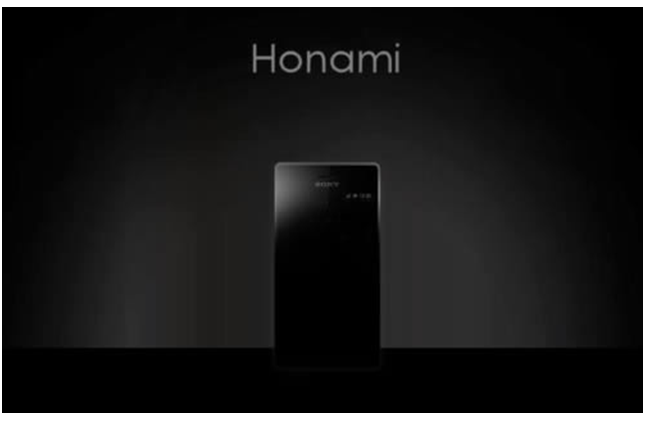
4.Sony i1 or Honami

Sony has jumbed into the Smartphone competition to catch the top spot by launching the Xperia Z in this year.  Sony Honami or i1 is their upcoming Android phone.
The specifications of the Sony i1, 5 inch Full HD Reality / Triluminos Display with X-Reality screen. It will have Snapgragodn S800 Processor with 2GB RAM and includes S Master Walkman mobile + Liquid Magnetic Mobile Speaker. And boasts a large 3000 mAh battery. It might be packed with Android 4.2.2 or 4.3


Read More..

Google Announces New Android 4.4 KitKat OS and Nexus 5 Rumors

0 comments

 Google has decided to once again mess with our expectations and announce something completely unexpected. For a long time we had been speculating that the newest version of Android would be a numeral jump (jumping from 4.3 to 5.0) and that it would be called Key Lime Pie, as it was one of the few dessert names that started with a “K” and was not a commercial product. This was further speculated by the fact that every leak of the new versions of Android and the information provided by chip manufacturers referred to the next major Android release as “KLP”, and there was even art coming out of Google supporting this idea. As it turns out, the new release will instead be called “KitKat”, fueled by a promotion with the popular chocolate bar maker that will offer devices, Play Store credit and other prizes through specially made Android KitKat chocolate bars. The bar comes with a code that you can put on the official Android KitKat website to see if you’ve won. You can check out the promotion and other KitKat related goodness on the   official website.


Despite the official announcement, Google has not revealed a lot of information about the upcoming KitKat release in terms of features. All that is really known at the moment, and open for speculation, is the official tagline of the release, which is “It’s our goal with Android KitKat to make an amazing Android experience available for everybody”. Now, these are official words, and Google knows they can be interpreted in a lot of ways and fuel speculation, but it’s hard not to wish that this release’s highlight is to finally make Android available to everyone, in the sense that any device could receive the update directly from Google and not have to go through the manufacturer or brand device. That would make the Android upgrade model, currently one of its major weaknesses, more similar to Apple and their iOS devices. Is that even possible for Android? We don’t really know, but it would certainly be nice, and probably end future Android fragmentation once and for all. It would certainly be deserving of a brand new release name, after dropping the mighty popular and successful Jellybean.
Another aspect that the tagline could be referring to would be the ongoing effort of putting Android in low-power and low-spec devices, which has become one of the priorities as of late for Android. Android has not followed the common OS trend of demanding better specs with every release, and in fact the latest versions have pretty much the same or even lower specification requirements as Gingerbread or Froyo, while performing much better. Google’s recent effort with the Chromecast and Google Glass only further prove that Android has been making strides to reach multiple device formats, so that may very well be what the inspiration for this release is, instead of the aforementioned global updating. We’ll have to wait and see, as information is surprisingly scarce right now.


In related news, during the unveiling of KitKat, where Google has once more planted a new Android statue to celebrate the new release, a previously unknown device was spotted in the promotional video. This device, with a Nexus branding on the back and what appears to be an LG logo, seems to carry with it a very large camera, possibly plastic backing and rounded contours. It also appears to be a large device, probably ranging on 5 inches, unlike the already available Nexus 4. These factors, along with the fact that at the past I/O the Android team revealed that photo and video quality would be one of the major points for future Android and Nexus releases, point to this device as being the successor to the current Nexus 4, which coincidentally was also just on sale at the Play Store to get rid of the existing stock. Take a look at the device spotted below: 


And that’s about all we have right now regarding Android 4.4 and the upcoming Nexus phone. This release seems to be very public and an attempt of Google to make Android even more popular and publicized by bringing it more to the public eye, but it seems strange to announce the name and very little else. KitKat has also claimed that this promotion was pretty much made up on the spot, and there were no financial deals or money exchanging hands. Either way, this sets a precedent, and I could see future Android releases carrying the name of other commercial sweets. Maybe we’ll see Android 4.5 Lemonhead in the future? The upcoming Nexus phone is also very exciting and I’m glad to see larger screen sizes perhaps becoming the norm for Nexus as well. Excited about KitKat? Let us know in the comment section below!


Read More..

Google Makes Quickoffice For iOS And Android Free For Everyone

0 comments

 It’s been more than a year since Google acquired Quickoffice, a mobile app for editing Microsoft Office files on tablets. Over the last few months, it has slowly expanded the tool’s availability by making free for Google Apps for Business customers.
 Everybody else still had to pay for the apps. Today, however, it is changing this policy and is making Quickoffice for iOSand Android available for free to anybody with a Google account.

As Google bemoans in its announcement, while converting documents to Google Docs, Sheets and Slides is easy, “sometimes the people you work with haven’t gone Google yet.” 

Using Quickoffice to work on Office files is a reasonable compromise, the company seems to imply, especially given that the documents are saved on Google Drive.


Current Quickoffice for Google Apps for Business users can update their app to the new version and get a number of new features in the process. The app can now, for example, create .ZIP folders and allows you to view charts in Excel and PowerPoint. It also, Google stressed, works across devices, “so you don’t have to worry about installing separate versions anymore when you go from using your phone to editing on your tablet.”

To sweeten the deal, Google is giving anybody who signs in to the new Quickoffice app for Android or iOS before September 26 10GB of extra Google Drive storage for the next two years.

Earlier this year, Google also said it was bringing Quickoffice to the browser, using its Native Client technology. So far, however, we haven’t heard much about the web version. With the mobile app freely available to all now, however, chances are the launch of the web app isn’t that far off either.


Read More..

How to Download iOS 7 Update for iPhone, iPad, iPod Touch Easy Way

0 comments
Apple iOs 7 available for download from sep 18th onwards for all devices running earlier versions ios 6, one can easily download the new ios from within the phone itself .
iOS 7 for iphone , ipad mini , ipod touch will all be simultaneously released , and the iteration time will differ to each countries based on their location from united states .


How to update your iPhone to iOS 7

For those who are asking yourself how to upgrade my iphone to ios 7 or how to download ios 7 for my iphone 5 , 4s , ipad mini , here is what you need to do ,
1. Goto > Settings on your device
2. Click > General > Software Update
3. Wait for few sec till you get iOS 7 Update available message, proceed to Upgrade toiOS 7
4. Download will complete based on your internet connection , once you complete , restart your device .
Note : Before upgrade to ios 7 , please make sure you’ve taken backups of your device .

After you’ve successfully downloaded / updated your phone will just run on iOS 7 :)
Read More..

iOS 7 Free Download for iPhone, iPad , iPod – iOS 7 IPSW Direct Links

0 comments

Here we go, the final version of ios 7 available for download for iphone, ipad , ipod touch devices, the moment you all waiting for has arrived at last .
For your ease , here’s Howto download ios 7 to your device with simple steps for Over the Air ( OTA ) update, last year there were more than 100 millions adopted ios 6 within a week of its release date . This year with more than 150 million ios devices are expected to get the update .
One can also easily update through itunes software by connecting your device with windows / mac , but keep in mind that once should install latest itunes 11.1 for that .

Download iOS 7 for iPhone, ipad, ipod touch :

Direct link to download the ios 7 will shortly be updated once it gets released ,


Official website to download itunes : Apples website

Please free to comment.
Read More..
Icon Icon Icon Follow Me on Google Plus

Copyright 2011 All Rights Reserved / Privacy Policy / Sitemap / Contact Us

Template by / TricksWonder / Powered by / Blogger